Showing posts with label Chrome OS. Show all posts
Showing posts with label Chrome OS. Show all posts
Monday, April 9, 2012
Chrome OS: Aura Window Manager
Google made a major update to Chrome OS today, releasing the Aura window manager on the Dev channel users. Check out the full rundown and screenshots in the Google+ post here.

Monday, November 7, 2011
Chromium OS Bootable Flash Drive! (Built on: 11/4/2011)
This version brings a bunch of beta design functionality and some speed increases! Enjoy!
I did notice some driver weirdness on some machines with this build, let me know what you find out.
Credits and Utilities:
To unpack this file, you will need the totally awesome and free unzipping utility: 7zip
This pack contains the Image Writer for Microsoft Windows, which is a great, simple way to take or place images onto drives. Give these guys a hand!
To unpack this file, you will need the totally awesome and free unzipping utility: 7zip
This pack contains the Image Writer for Microsoft Windows, which is a great, simple way to take or place images onto drives. Give these guys a hand!
Monday, August 15, 2011
Chrome OS Bootable Flash Drive! (Built on: 8/9/2011)

New version! I'm also cleaning up all of the old versions and linking them to this page. This version is very very cool, lots of new ideas and features. Chrome OS is really coming into its own, you can see Google's new design team hard at work here. Check it out!
Credits and Utilities:
To unpack this file, you will need the totally awesome and free unzipping utility: 7zip
This pack contains the Image Writer for Microsoft Windows, which is a great, simple way to take or place images onto drives. Give these guys a hand!
To unpack this file, you will need the totally awesome and free unzipping utility: 7zip
This pack contains the Image Writer for Microsoft Windows, which is a great, simple way to take or place images onto drives. Give these guys a hand!
Tuesday, June 7, 2011
Chrome OS Bootable Flash Drive! (Built on: 6/7/2011)
Another version! Its been quite a while since I've put one of these out, so I figured it would help everyone if I released an updated version. As usual, all instructions are included in the download, so pull it down and give it a shot. Chrome OS is really growing up, and fast. I'm really excited for the future of Chrome OS and cloud-based computing in general. This is the future and it is now.
Update: Looks like there were a few nasty bugs with the June 7th build, I've rebuilt with newer sources in an attempt to give you a more stable build. Enjoy!
Update 2: Looks like the 6/13 build has some major GUI bugs and stability issues. Here's the main point: These are daily builds, nasty bugs happen. I'll wait a bit before releasing the next daily build, see what happens from there. I've re-included the link to the previous version, as it is a bit more stable.
Credits and Utilities:
To unpack this file, you will need the totally awesome and free unzipping utility: 7zip
This pack contains the Image Writer for Microsoft Windows, which is a great, simple way to take or place images onto drives. Give these guys a hand!
To unpack this file, you will need the totally awesome and free unzipping utility: 7zip
This pack contains the Image Writer for Microsoft Windows, which is a great, simple way to take or place images onto drives. Give these guys a hand!
Tuesday, March 29, 2011
Chrome OS Bootable Flash Drive! (Built on: 3/28/2011)

Well, here it is again! Another build, this one a week later. I've heard some reports that the Chrome Web Apps weren't working quite perfectly on some machines, that's the risk when you're running daily-builds of an operating system. This is freshly built as of yesterday, and I've update the instructions to include how to create a bootable Chrome OS flash drive in both Linux and Mac OSX. As usual, the Windows instructions are still there as always. After the jump, I'll include a copy/paste of the Instructions.txt file for your convenience. Have fun and let me know what you think!
To unpack this file, you will need the totally awesome and free unzipping utility: 7zip
This pack contains the Image Writer for Microsoft Windows, which is a great, simple way to take or place images onto drives. Give these guys a hand!
Thursday, March 24, 2011
Chrome OS Bootable Flash Drive! (Built on: 3/24/2011)
I've taken to packaging my own vanilla builds of Chrome OS (Well... Chromium OS), and am going to start releasing them semi-regularly. Comes packed with the great Image Writer for Microsoft Windows (https://launchpad.net/win32-image-writer) and stupid-simple instructions on getting a bootable flash drive made to test drive Chrome OS. Ever since Hexxeh stopped major development (that I've seen, correct me if I'm wrong), I've been listening to people clamor for an easy way to test drive Chrome OS without having to build from the source code up. I want to help those people. Every so often, I will make a build of Chrome OS and post it here to my blog. Enjoy!!
This file is packed with 7-zip! The completely free (and open source) zipping utility! Grab it here: http://www.7-zip.org/
New Version Here
Monday, January 17, 2011
Cloudbound: Java?
One of the problems I've run into with Chrome OS is the apparently lack of Java. It kind of perplexes me that I hadn't considered Java to be a core web technology before my addiction to Minecraft reached epic proportions, but it also perplexes me that Google didn't consider it a core web technology either. When I try to load up this Java applet on my CR48, I get this error message instead:


Missing Plug-in. Java does require local system support for applets to load, and it would make sense for Google to want as few attack vectors as possible for Chrome OS, but it still is a bit annoying. Not that my CR48 would have the power to run Minecraft, anyway. The system only has a 1.6Ghz Atom processor, I'm pretty sure it wouldn't run very well if it did. I could edit the root file system in DEV mode and install Java, but I'd like to keep this system as clean as possible. Just an interesting notion, nothing more.
Tuesday, December 21, 2010
Cloudbound: The CR48 (Part 2)

The CR48 notebook itself is sleek, simple, and unbranded. Completely unbranded. No logos anywhere. Just a matte black notebook with a rubbery feel. To be honest, reviewing the hardware doesn’t really make much sense. The purpose of this pilot program isn’t to review the laptop that some company made on contract, the point is to review and bugtest the software.
But the readers want to know, just how is the CR48? In a word: Amazing. Like the Nexus One, the CR48 embodies the essence of what Google thinks is possible with a Chrome OS notebook. Simple, from the keyboard to the case, the CR48 is the essence of software driving hardware. Not one logo is shown on the device in any form. Not even an informational sticker or set of warning labels. This is a tool for developers through and through. Honestly, I wish all notebooks were built this cleanly.
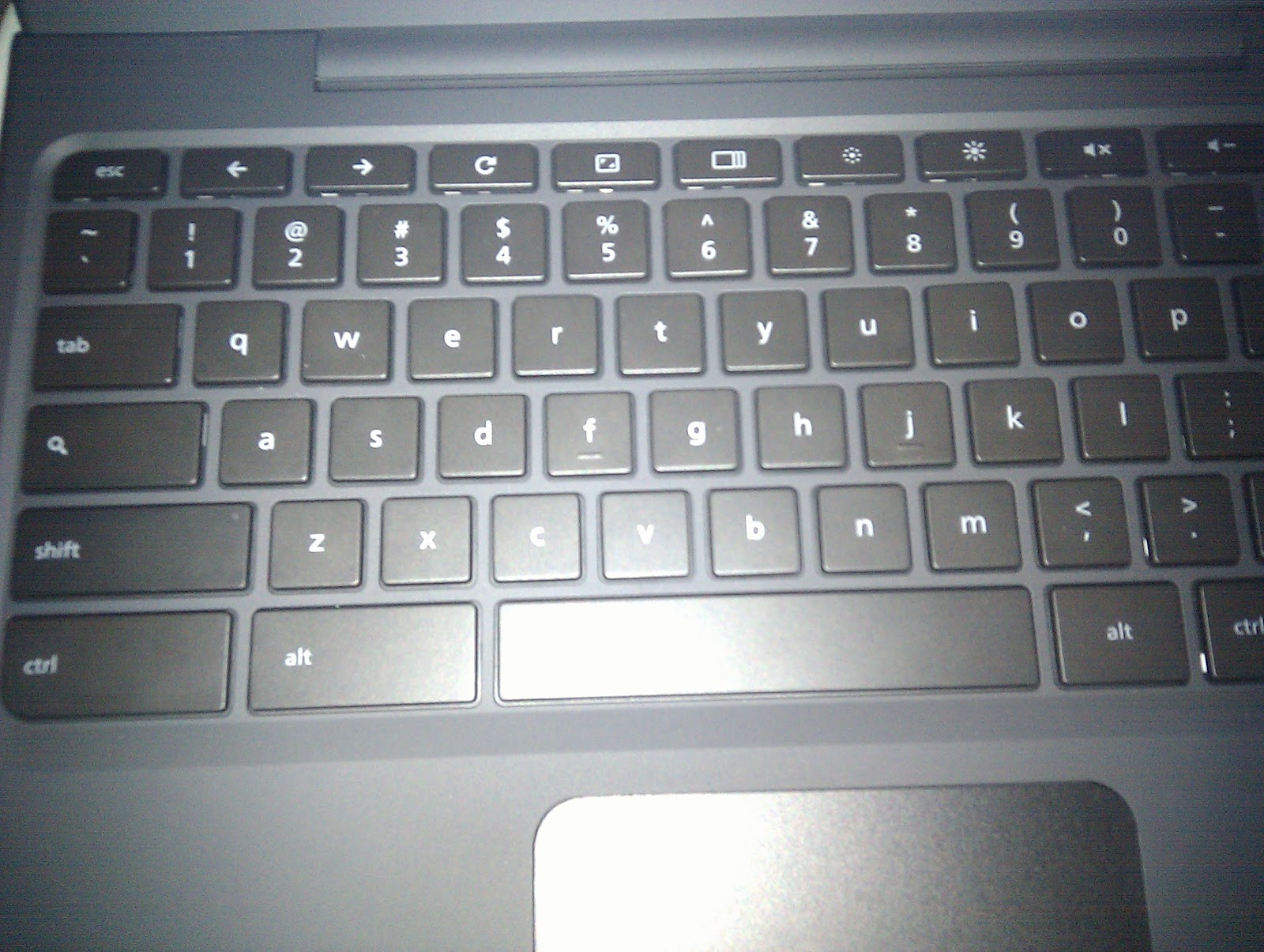
A small compliant so far, the battery doesn’t quite fit 100% snug to the bottom of the case on one corner. Not a deal breaker by any means, but this shows that the company Google hired is still working out the kinks in the manufacturing process. Granted, this is alpha-hardware, and never meant to be sold to the general public in this form, so I really have no reason to complain.
All in all, I really love the simplicity, long battery life, and light weight, easy to carry shape of this build. If this is the template for Chrome OS notebooks, its about to be a very good year for Google. The next post I have lined up is a general overview of Chrome OS, then feature highlights and more in-depth views, including bugs. Stay tuned!
Thursday, December 16, 2010
Cloudbound: Chrome OS Introduction (Part 1)
Welcome to Cloudbound! My brand new blog category dealing with all things Chrome OS and CR48. As some of you may know already (full disclosure here), I am now part of Google's official beta-tester group for Chrome OS and CR48. Before I get into the specifics, let me go over exactly what Chrome OS and CR48 are, just in case you are new to the game.
Chrome OS is a Linux-based operating system made by Google for cloud computing devices. My, oh my, what a buzz word. Cloud computing. What is it exactly? I can guarantee that most of you do some form of cloud computing each and every day.
Cloud computing is using applications and storage on the internet instead of on your local computer. Ever upload a picture to Facebook, Picasa, or Flickr? You’re using the internet to store those pictures, you are using cloud computing! Ever use Google Docs to type up a paper? That’s another example of cloud computing. Ever listen to music on Pandora, watch a television show on Hulu, or upload a video to YouTube? Those are all great examples of cloud-based media services.
So why make an operating system based entirely off of web services? Plenty of reasons! The biggest boil down to the following points:
- No need to back up local data (for the most part) - Everything you need is already in the cloud!
- No need to run cumbersome anti-virus software, as everything you are doing is online, you are only running a web browser (and plugins) on the local machine, nothing else.
- This does, however, place a higher emphasis on staying safe from phishing sites.
- Cheaper computers! If the only requirement is the ability to run a web browser, the hardware needed is relatively cheap to manufacture. No need for expensive components and upgrades. All the power you need is on the web.
Subscribe to:
Posts (Atom)